SFST Report – Unofficial Tool
- 4.2
- Rating
- 10.00K
- Installs
- Free
- Price
 Analysis by App-foxy
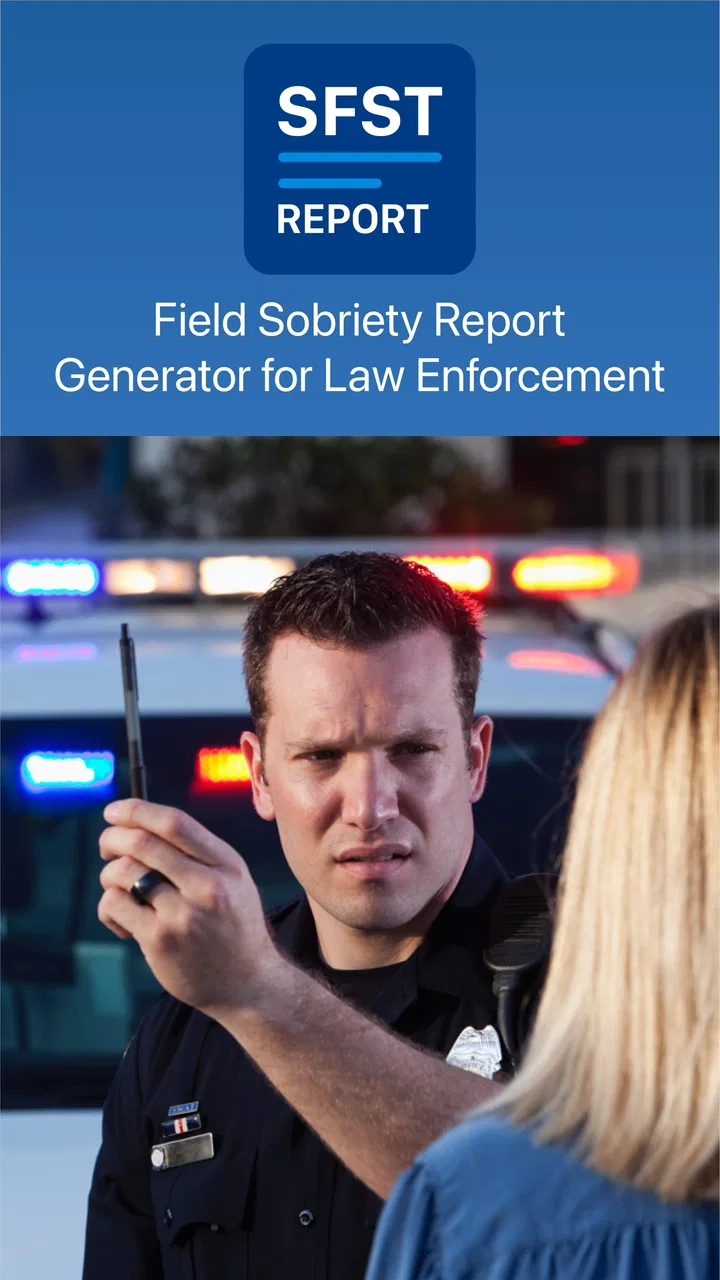
I approached SFST Report – Unofficial Tool as a practical business app rather than a general-purpose note-taking tool. Its purpose is narrow: it helps document field sobriety testing and DUI-related reporting with an approach based on National Highway Traffic Safety Administration material. That focus makes it potentially useful for people who already understand this kind of work, but it also means the app is not something I would recommend casually to every driver, student, or office worker.
My main question while using it was not simply whether it could hold information. The more important question was whether it could help someone capture observations in a consistent way when the surrounding situation is stressful, time-sensitive, and sometimes physically awkward. That is where the app has its strongest argument, and also where its limitations matter most.
How the app feels to read and navigate
The store identifies it as an SFST report tool, and that description sets the right expectation. I would think of it as a focused documentation aid for trained users, not as a complete case-management platform. The developer is Bonsaisoft LLC, and the app sits in the Business category, which makes sense because its value comes from structured professional work rather than entertainment or casual personal organization.
You May Also Like

 Blood Strike: 2.5 Anniversary
Blood Strike’s Loadouts Turn Every Drop Into a Tactical Gamble
A close look at Blood Strike’s custom loadouts: how fast access to signature weapons reshapes its battle royale rhythm, rewards preparation, and narrows the gap between fights.

 Pandora - Music & Podcasts
Pandora’s Music Is Easy to Start, but Harder to Recover
Pandora’s strength is its low-effort path from a seed to a station. Its weak spot is how much confidence it asks you to place in connection, setup, and quiet recovery.

 8 Ball Pool
8 Ball Pool Is Built on Rivalries, Rematches, and Routine
A close look at the rivalries, rematches, shared routines, and unanswered safety questions that turn a quick pool match into a persistent mobile community.

 Samsung Music
Samsung Music’s Quiet Strength Is Playing What You Already Own
Its reach comes less from spectacle than from dependable access to a personal library. That simplicity is both the app’s strongest retention engine and its ceiling.

 AccuWeather: Weather Radar
AccuWeather Review: A Quick, Clear Forecast for Everyday Decisions
For everyday plans, the best forecast is the one you can understand quickly. AccuWeather makes rain timing, radar, and local conditions easy to act on, with a few trade-offs.

 Hill Climb Racing
Why Hill Climb Racing Still Turns Crashes Into One More Run
A tiny car, a bumpy hill and one more upgrade: Hill Climb Racing keeps resurfacing because its simple chaos makes every near-miss feel personal.
More From Our News Desk



In practical use, a focused interface can be easier to understand than a blank document. A blank note asks me to decide what to write, how to order it, and which observations might be important. A form-oriented workflow can reduce that initial uncertainty. For a person who regularly prepares field sobriety test documentation, that structure may be more useful than opening a generic notes app and trying to recreate a report from memory.
That benefit depends heavily on familiarity with the subject. Someone who already knows the terminology and the purpose of the standard field tests is likely to move through the app more confidently than a first-time user. I would not treat the interface as a substitute for training. The app can support documentation, but it should not be used to decide whether a person is impaired or to replace professional judgment, local procedures, or required review.
Readability matters especially in this type of tool because reports are often created from observations rather than from a relaxed desk session. I found the most sensible approach was to slow down at the beginning, learn the order of the available sections, and avoid trying to discover the workflow in the middle of an active encounter. A short practice run in a controlled setting would be more valuable than assuming the app will explain every decision as I go.
Why a structured report can beat ordinary notes
The clearest advantage over a standard notes application is consistency. With ordinary notes, one person may write a detailed narrative while another records only fragments. A dedicated report workflow encourages the user to consider the same kinds of observations each time. That does not automatically make the report correct, but it can reduce accidental omissions caused by a rushed or improvised writing style.
There is also a useful separation between observing and composing. In a generic app, I might start writing a polished paragraph too early and then lose track of what I actually saw. A focused report tool is better suited to recording individual observations first, then reviewing the completed material afterward. My practical tip is to treat the first pass as factual capture: note what happened, preserve the sequence, and leave interpretation for the appropriate review stage.
This is one of the less obvious strengths of the app. Its usefulness is not just that it stores text. It can encourage a repeatable habit, which is important when several reports are created over time and the user wants to compare the completeness of one report with another. That advantage is strongest for trained professionals who already have a defined procedure.
Navigation for different reading abilities
For users with lower vision, reading fatigue, or difficulty processing dense screens, the app deserves a careful trial before relying on it in the field. A form can be easier than a long blank page, but only if its labels, controls, and transitions are comfortable to read. I would test it on the specific phone that will be used, with the display settings the user normally needs, rather than assuming that a familiar Android device will feel equally clear for everyone.
The app supports Android devices beginning with version 6.0, so it is available across a broad range of older and newer Android hardware. That is helpful for organizations or individuals who are not replacing phones frequently. At the same time, older hardware can bring its own practical issues, such as a smaller display or slower response, so compatibility alone should not be confused with comfortable access.
I also recommend checking whether the user can distinguish the active field from completed information without relying only on color or quick visual scanning. If a person has color-vision differences, glare sensitivity, or difficulty shifting focus, a workflow that requires tiny visual distinctions may become tiring. The safest evaluation is a real rehearsal under the same lighting and screen brightness expected during work.
Motor, sensory, and situational considerations
Field documentation is not the same as office data entry. The user may be standing, wearing gloves, holding equipment, moving between locations, or trying to maintain attention on another person. Those conditions change the value of every tap and every text field. A workflow that feels manageable at a desk may become frustrating when the phone is held in one hand and the user has only brief opportunities to interact with it.
For people with limited fine-motor control, tremors, joint pain, or reduced dexterity, the key issue is how much precise tapping and typing the report demands. I would not plan on entering long, carefully worded narratives while actively managing an encounter. A better routine is to capture essential details in the moment only when it can be done safely, then complete or review the report in a calmer location. This is a workflow recommendation, not a claim that the app provides specialized hands-free support.
Users with repetitive-strain concerns may also benefit from preparing recurring information before an assignment, where the app’s workflow allows it, rather than retyping the same material under pressure. The trade-off is that pre-entered information must be checked carefully so that an old detail is not carried into a new report. Convenience is helpful only when it does not reduce accuracy.
For sensory differences, the surrounding environment may be a bigger obstacle than the app itself. Bright headlights, darkness, rain, noise, and interrupted attention can all make a screen harder to use. I would treat the phone as one part of the working environment: adjust brightness before starting, keep the device positioned where it can be read without unsafe distraction, and avoid assuming that a report should be completed immediately in every situation.
People who are sensitive to visual clutter may prefer the app’s focused purpose over a general business suite filled with unrelated menus. Conversely, anyone who needs very large controls, strong customization, screen-reader optimization, or a particular input method should test the complete workflow personally before adopting it. The app’s narrow purpose is promising for focus, but a narrow purpose does not automatically guarantee broad accessibility.
A realistic use scenario
Imagine a trained officer who needs to document a roadside encounter after completing the relevant observations. The useful workflow would be to open the report tool when it is safe, enter information in a consistent order, record the observed performance rather than conclusions that go beyond the observation, and review the report later for missing context. In that scenario, the app can serve as a structured memory aid and reporting workspace.
The important detail is timing. I would not use the phone while driving, while attention is needed for traffic, or while the person being assessed requires direct supervision. If the environment is too dark, noisy, wet, or physically unstable for reliable entry, a safer temporary method may be necessary, followed by careful transfer into the app. The app is useful only when the surrounding procedure remains safe and lawful.
This scenario also shows why accessibility cannot be judged from the screen alone. A user with limited mobility may need a colleague or an adapted working method. A user with hearing differences may need the report process to fit a communication approach that does not depend on hearing prompts. A user with cognitive fatigue may need more time for review and a quieter setting. The app may fit into those workflows, but it does not remove the need to design the workflow around the person.
Where it differs from common alternatives
The usual alternatives are a paper form, a generic notes app, or a broader records system. Paper can be dependable when batteries, screen glare, or device handling are concerns, and it may be easier for someone who prefers large handwriting or physical pages. Its weakness is that handwriting can be inconsistent, difficult to search, and harder to copy into later records.
A generic notes app offers flexibility and may work better for users who need large text, voice input, or a highly familiar interface. Its weakness is that it does not naturally guide the user through a specialized SFST documentation process. A broader records platform may offer stronger organization for an agency, but it can be excessive for an individual who needs a focused report tool and does not want unrelated administrative features.
SFST Report occupies the middle ground: more purpose-built than notes, but more limited in scope than a full case-management system. That trade-off is central to the buying decision. If the user wants a dedicated place to work through sobriety-test documentation, the focus is attractive. If the user needs team collaboration, extensive records administration, or a complete evidence-management workflow, a larger system may be the better choice.
Practical barriers before relying on it
The app is free to install, which makes a trial relatively accessible, but it includes in-app purchases ranging from $1.99 to $29.99 per item. I would check which parts of the workflow are available without payment before building a routine around it. The important question is not just the installation cost; it is whether the functions needed for actual reporting remain available when the user needs them.
Its current version is 1.11, and the app has been available since June 16, 2019. Those details suggest a product with an established history rather than a brand-new release, but they do not tell me whether it will match every modern accessibility preference or organizational requirement. I would still conduct a small pilot with representative users, older phones if relevant, and the actual reporting steps used by the team.
The app has an average rating of 4.2 from around thirty-five ratings, with fourteen written reviews, and it has passed ten thousand installs. That gives me some evidence that people have tried it, while also reminding me that the user base is not large enough to answer every accessibility question. Ratings are useful for spotting general satisfaction, but they cannot replace testing with a person who has the exact motor, visual, hearing, or cognitive needs involved.
Because the content rating is Everyone, the app is not presented as restricted to adults. That does not make it suitable for unsupervised training or casual experimentation with real incidents. The subject matter is professional and potentially consequential, so I would keep access, instruction, and review aligned with the user’s role and local requirements.
Who should use it, and who should skip it
I can see this app working well for a trained individual who wants a focused Android tool for SFST documentation and who is comfortable reviewing reports carefully. It may also suit a small operation that wants to test a dedicated workflow before considering a larger system. The strongest fit is someone who values repeatable prompts and does not need a full administrative platform.
I would be more cautious for a team that requires shared access, centralized oversight, formal retention controls, or a workflow that spans many kinds of records. I would also suggest skipping it as a primary tool if the user must depend on specialized accessibility features that have not been personally tested. In that situation, a familiar notes or records solution with proven support for the user’s input method may be safer, even if it is less specialized.
New users should not treat the app as a lesson in field sobriety testing. The NHTSA-based focus may help organize documentation, but proper training remains essential. The app can record a process; it cannot validate every observation, resolve ambiguous circumstances, or determine how a report should be interpreted in a particular jurisdiction.
My inclusive verdict
After looking at the app through the lens of different abilities and working environments, I see a useful but specialized tool. Its focused approach can reduce the uncertainty of writing a report from a blank page, and its business orientation makes sense for professional documentation. The most meaningful benefit is the possibility of a consistent capture routine, especially when the user already understands SFST practice.
Its accessibility is more situational than guaranteed. Users with visual, motor, hearing, or cognitive needs should rehearse the complete process on their own device and in realistic conditions. They should also decide in advance when to pause phone entry, use another safe method temporarily, or ask for assistance. These steps are not signs that the app has failed; they are sensible safeguards for a task where accurate documentation and immediate situational awareness both matter.
My recommendation is to trial it as a focused reporting aid, not as a complete professional system or a replacement for training. If its fields fit your established procedure and you can read and operate it comfortably under real conditions, the free entry point makes evaluation worthwhile. If your priority is extensive collaboration, advanced accessibility customization, or broad records management, the usual alternatives may serve you better. For the right trained user, however, SFST Report can be a practical middle option between handwritten forms and a much larger business platform.
FAQs for SFST Report – Unofficial Tool
01What is SFST Report – Unofficial Tool used for?
SFST Report – Unofficial Tool is designed to help users access and review information related to SFST reports in a more convenient digital format. It may organize report details, provide reference material, or simplify consultation while completing or studying standardized field sobriety testing documentation. Because it is unofficial, users should treat it as a supporting utility rather than an authoritative replacement for official law-enforcement procedures, forms, or training resources.
02Is SFST Report – Unofficial Tool an official government or law-enforcement application?
No. The word “Unofficial” is important: this app should not be assumed to be created, approved, or maintained by a police department, government agency, court, or official training organization. Before relying on any information in a professional setting, compare it with current departmental policies, applicable laws, official SFST manuals, and certified instruction. The app can be useful for reference, but it should not be considered a legal authority.
03Can I use the app to complete or submit an official SFST report?
You should not assume that information entered or displayed in SFST Report – Unofficial Tool can be submitted as an official report. Depending on the version and platform, the app may provide templates, guidance, or organizational features without supporting legally recognized electronic filing. Always follow your agency’s approved reporting system and retention requirements. If the app offers export or sharing options, carefully verify the resulting document before using it professionally.
04Does SFST Report – Unofficial Tool work without an internet connection?
Offline availability can depend on the app version, device settings, and which features you use. Basic reference content may remain accessible after installation, while updates, external links, synchronization, advertisements, or sharing functions may require an internet connection. It is best to open the app before entering the field and confirm that the necessary screens and materials are available offline. Do not depend on it as your only source of critical information.
05Is personal or sensitive information safe to enter in SFST Report – Unofficial Tool?
Users should be cautious before entering names, dates of birth, case numbers, medical details, or other sensitive information. An unofficial app may not provide the same security controls, audit trails, encryption standards, or data-retention policies as an approved agency system. Review the app’s privacy policy and requested permissions, avoid storing unnecessary personal data, and use only department-authorized devices and procedures. For official records, rely on secure systems approved by your organization.
Pros
- Quickly formats SFST reports for easier reading and sharing.
- Useful companion for players who already know the SFST reporting process.
- Simple interface keeps the main reporting tools easy to find.
- Can reduce time spent organizing incident details manually.
- Unofficial status makes it a lightweight alternative to official tools.
Cons
- Not affiliated with or endorsed by the official SFST organization.
- May become outdated if SFST procedures or report formats change.
- Limited value for users who rarely need to create SFST reports.
- Report accuracy still depends on the information entered by the user.
- Support and update availability may be less reliable than official apps.

SFST Report – Unofficial Tool
Gallery